Color in data visualisation is only useful if it encodes something specific. A graph where node color is arbitrary teaches you nothing. A graph where color encodes a precise structural property gives you information at a glance that would take minutes to derive from a list.
Deepview uses two primary severity colors, each encoding a distinct structural property. Understanding what they mean changes how quickly you can assess the risk of any given change.
Red: blast radius risk
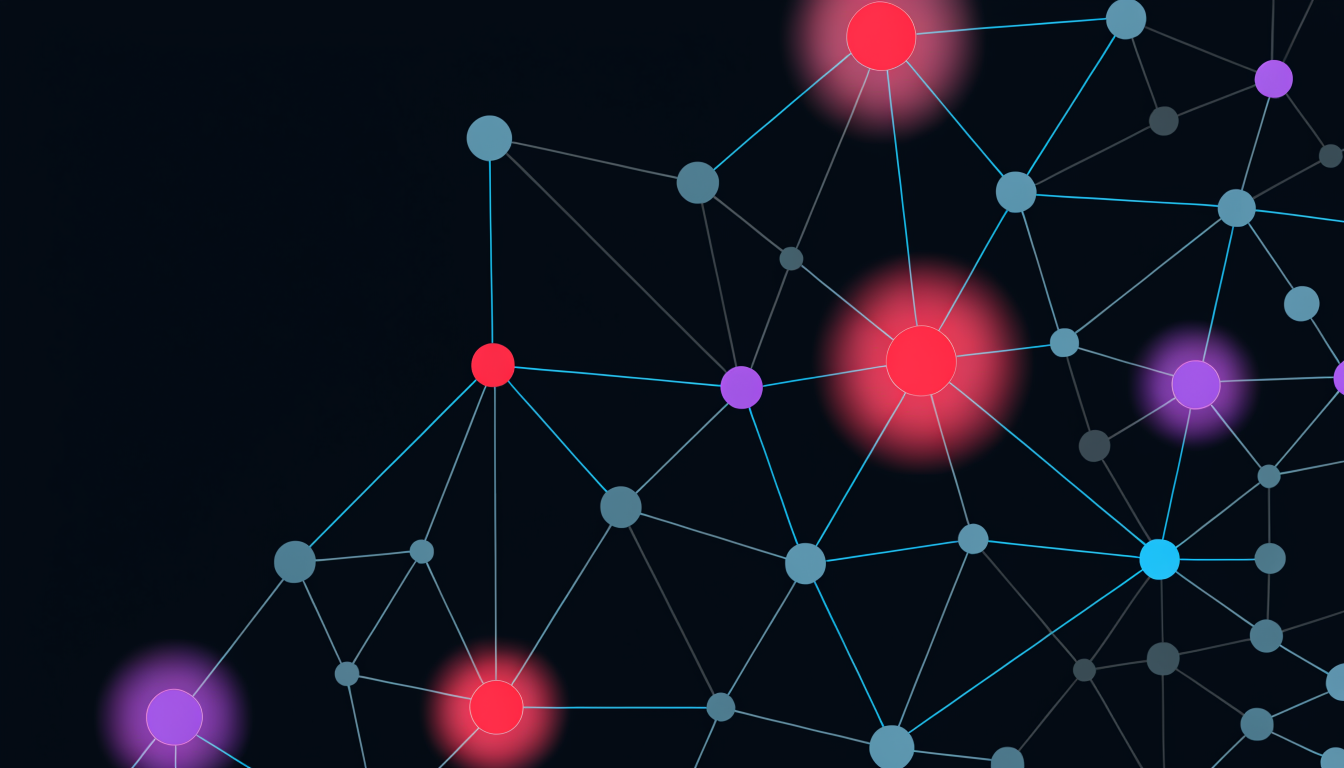
A red node has high blast radius. Changes to this file are likely to have cascading effects, its importers are numerous, its position in the graph is central, and the community it anchors will feel any modification.
Red does not mean the file is buggy or badly written. It means it is structurally significant: it sits at a hub in the import graph, and changes to it propagate widely. The redness is a property of the graph topology, not the code quality.
What to do with a red node before modifying it:
- Check how many of its callers have test coverage
- Compute the blast radius explicitly (Web view, select node, see reachable subgraph)
- Consider whether the change scope is larger than a single reviewer can hold in their head, it may warrant a second reviewer or a staged rollout
Violet: blindspot risk
A violet node has a high blindspot score. It has relatively few direct importers, it does not look load-bearing from the outside, but its transitive import closure is large. It touches much more of the codebase than its apparent isolation suggests.
Violet is the color of the unexpected: the file that appeared in a post-mortem even though nobody flagged it in the review.
What to do with a violet node before modifying it:
- Do NOT use in-degree as a proxy for impact. The low importer count is why the blindspot pattern exists.
- Expand the transitive out-reach (Web view, traversal depth > 1) to understand what it actually touches
- Treat it like a red node for review purposes, the risk is the same class, just harder to see from the outside
The two-color review heuristic
A practical rule for code review using Deepview: open the changed files in Web view. Look for red and violet. If neither is present, the structural risk is low. If red is present, check caller coverage. If violet is present, expand the traversal.
This heuristic takes under 60 seconds for most PRs. It surfaces the structural risk class, blast radius or blindspot, before anyone reads a line of diff.
What the colors don’t mean
Red does not mean "do not change." Keystones need to change. High-blast-radius files evolve. The color is a signal to adjust your review process, not a prohibition.
Violet does not mean "hidden bug." A blindspot file is structurally significant, not structurally broken. The risk it represents is the risk of underrating it in review, which the color directly addresses.
Color as a communication tool
Beyond personal review workflows, the color system is useful for explaining risk to non-engineers: product managers, project leads, stakeholders who need to understand why a "small" change is taking longer than expected.
"This file is red, it has 34 callers and we’re touching it" is a sentence anyone can understand. The color gives the explanation a concrete referent that a diff view or import list does not.
Making structural risk legible to a broader audience is not a secondary benefit, it is one of the primary ways a context layer earns trust at the team level.